An under desk hammock supports your feet, reduces leg strain, and adds comfort during long hours at a desk.
If you have ever shifted in your chair because your feet felt tired, cold, or unsupported, an under desk hammock may offer a simple fix. This small footrest hangs beneath a desk and lets you rest your feet in a gentle, raised position. In this guide, you will learn what an under desk hammock is used for, how it may support better comfort, what its limits are, and how to choose and use one safely.
What Is an Under Desk Hammock?
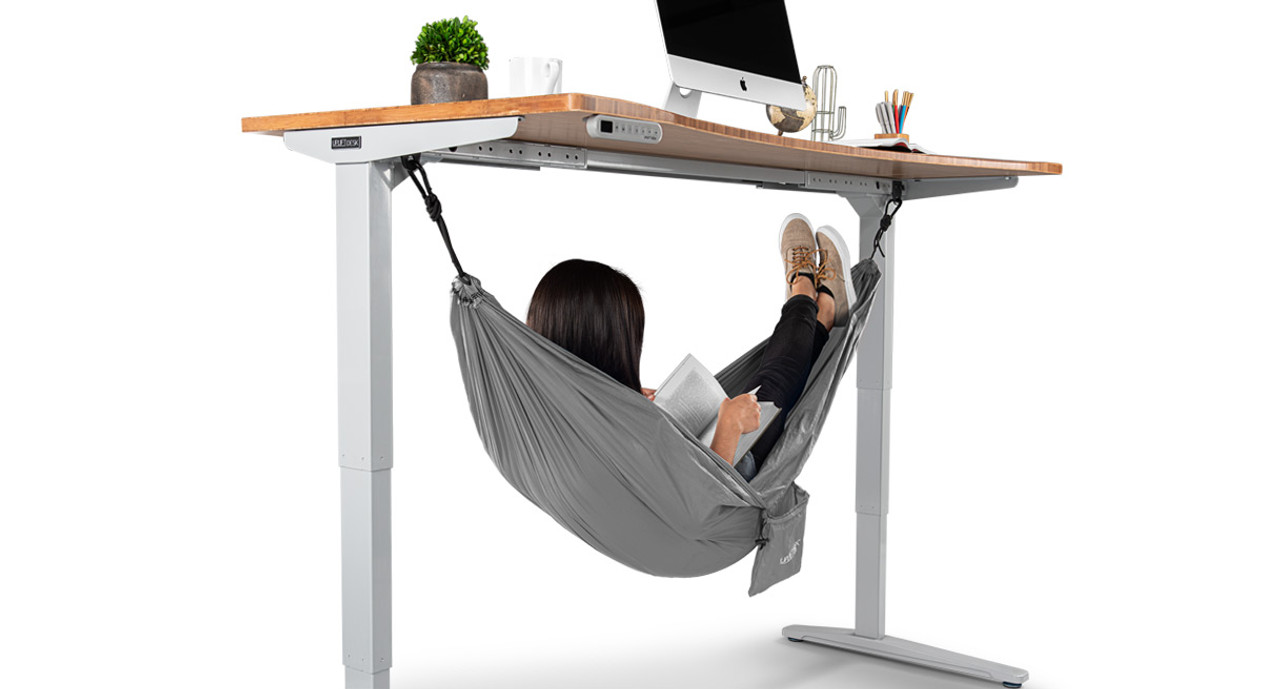
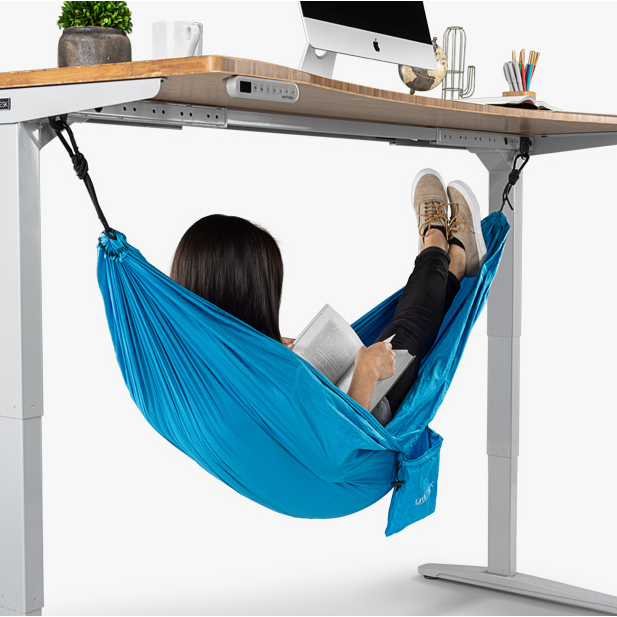
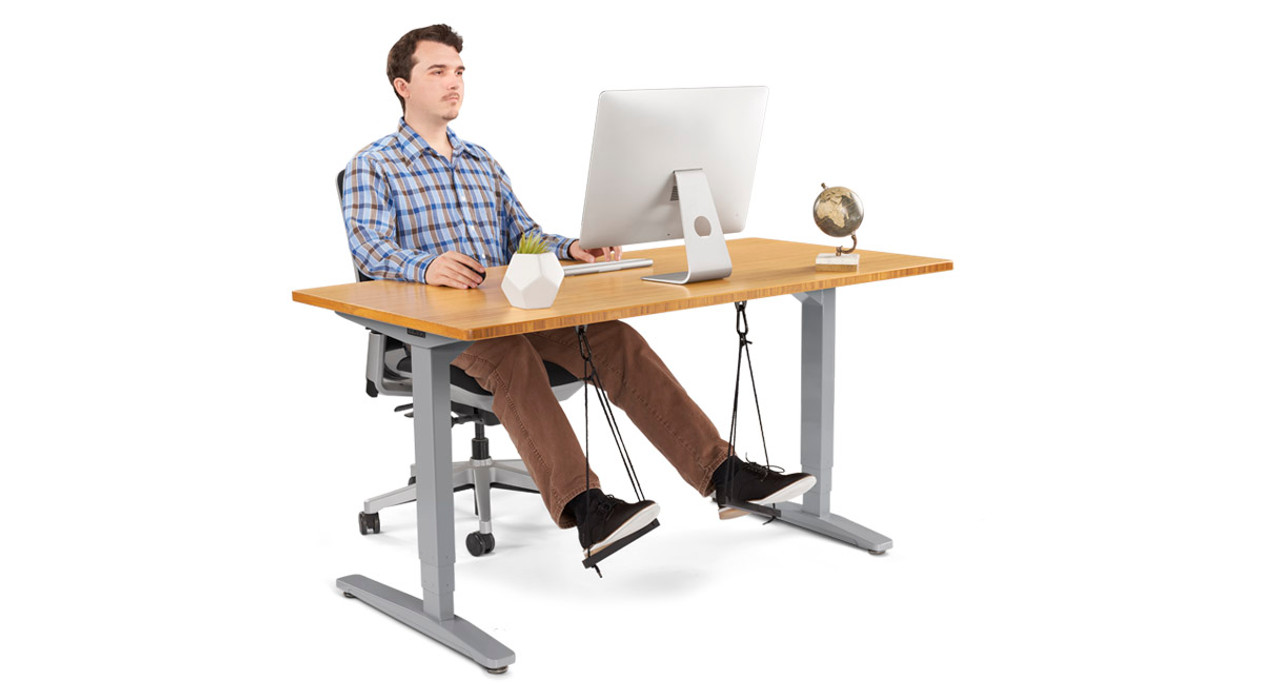
An under desk hammock is a fabric footrest that attaches to the legs, frame, or support bar of a desk. It usually hangs a few inches above the floor and forms a soft cradle for your feet.
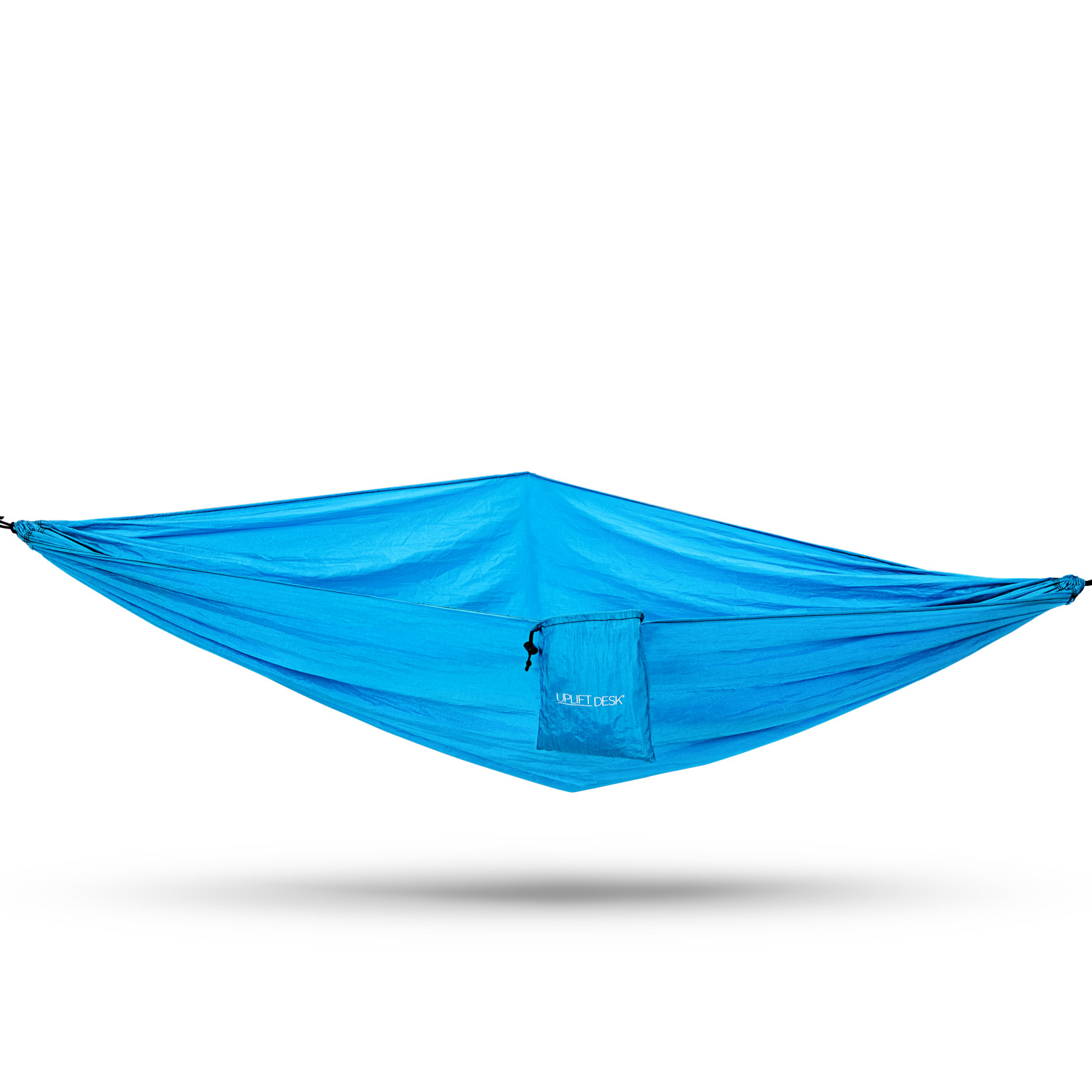
Most models use cotton, polyester, mesh, or a similar flexible material. Some have adjustable straps, while others use hooks, clips, or adhesive mounts. The goal is simple: keep your feet supported without taking up much floor space.
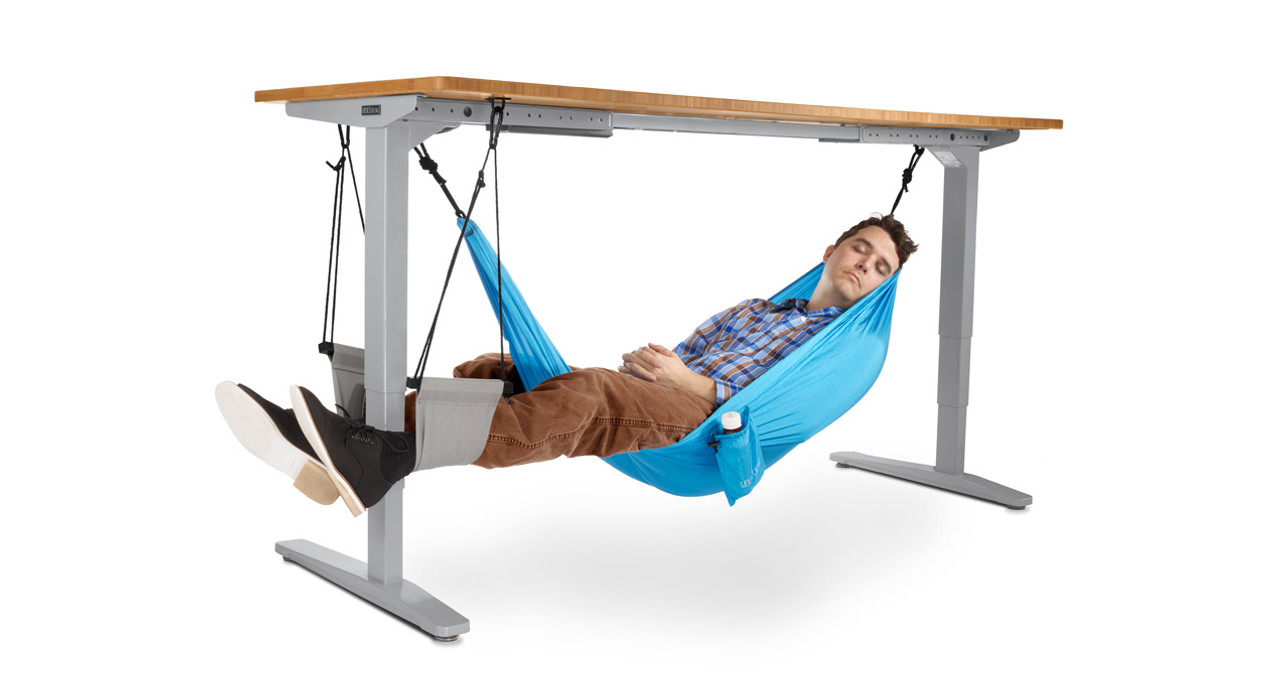
An under desk hammock is not designed to hold your full body weight. It is a foot support, not a swing or chair. A well-made model should feel stable when your feet rest on it, but it should not be used for climbing, standing, or rocking with force.
The answer to “what is an under desk hammock used for” often comes down to comfort. It gives your feet a place to rest and may help you maintain a more relaxed sitting position.
What Is an Under Desk Hammock Used For?
An under desk hammock is mainly used as a compact footrest for work, study, gaming, and travel. It can help lift your feet slightly, reduce pressure on the floor, and make a fixed-height desk feel more comfortable.
Here are the most common uses:
- Supporting your feet during long desk sessions
- Reducing contact with a hard or cold floor
- Helping you change leg position during the day
- Adding comfort to a home office or classroom desk
- Supporting relaxed feet while reading or gaming
- Giving shorter users a better way to rest their legs
- Improving comfort when a desk is too tall for your chair
- Providing a portable footrest for some travel or temporary workspaces
For example, a person whose feet do not sit flat on the floor may feel pressure behind the thighs. An under desk hammock can offer another support point and reduce the urge to dangle the legs.
It is important to keep expectations realistic. An under desk hammock does not correct poor posture by itself. It works best as one small part of a comfortable workstation that includes a suitable chair, proper monitor height, and regular movement.

How Does an Under Desk Hammock Work?
An under desk hammock works by suspending a fabric sling between two attachment points. Your feet rest inside the sling, and the straps carry the light downward force created by your legs.
Unlike a solid footrest, the hammock moves slightly with your feet. This movement can feel comfortable because it allows small position changes. It is similar to resting your feet on a soft cushion that gently follows you.
Most users place the hammock under the front half of the desk. The best height depends on your body and chair. Your feet should rest comfortably without pushing your knees too high or pulling your legs forward.
A useful setup process is:
- Sit in your normal work position.
- Place your feet where they feel relaxed.
- Attach the hammock at a height that keeps your knees near a natural angle.
- Adjust the straps so the fabric supports both feet.
- Check that the hammock does not touch cables, drawers, or moving chair parts.
- Test it with light pressure before using it for a full work session.
The hammock should support your feet, not force your legs into one position. If your knees feel cramped or your hips tilt, lower or reposition it.

Benefits of Using an Under Desk Hammock
Better foot comfort
Hard floors can make your feet feel tired, especially during long work periods. A fabric sling gives your feet a soft place to rest.
This benefit can be useful for people who sit at a high desk or use a chair that leaves their feet slightly off the ground. It may also help people who dislike the feel of cold tile or wood flooring.
More leg position choices
Staying in one position for hours can make your legs feel stiff. An under desk hammock gives you another position without requiring a large footrest.
You can rest both feet in the sling, place one foot at a time inside it, or alternate between the hammock and the floor. Small changes are often more helpful than trying to hold one “perfect” posture all day.
Compact design
A traditional footrest can take up valuable floor space. An under desk hammock hangs above the floor, so it may work well in a small office, dorm room, or shared workspace.
It can also be easier to move when you vacuum or rearrange the room. Some models fold into a bag, which makes them useful for temporary desks.
Possible support for shorter users
A desk and chair are not always sized for the same person. If your chair is comfortable but your feet do not reach the floor, a foot hammock may provide extra support.
However, a stable foot platform may be better if you need firm support. A hammock is flexible and portable, but it can move more than a solid footrest.
Gentle relaxation during breaks
Some people use an under desk hammock to relax their feet while reading, watching a video, or taking a short break. This can make a home office feel more personal and comfortable.
It should not encourage you to remain seated without breaks. Workplace health guidance commonly recommends changing position and moving regularly rather than relying on one accessory.
Can an Under Desk Hammock Improve Posture?
An under desk hammock may support better sitting comfort, but it does not automatically improve posture. Posture depends on several factors, including chair height, desk height, screen position, back support, and how often you move.
A foot hammock may help if your feet are not supported. When the feet dangle, some people feel pressure under the thighs or shift forward in the chair. Supporting the feet may help the legs feel more relaxed.
The hammock should not lift your feet so high that your knees rise above your hips. It should also not pull your feet forward. Aim for a position that lets your thighs stay supported and your shoulders remain relaxed.
Ergonomic guidance often favors a stable base for the feet. Therefore, people with pain, balance concerns, or a strong need for firm support may prefer an adjustable foot platform. If you have ongoing leg, back, or joint pain, speak with a qualified health professional instead of treating the hammock as a medical device.
Is an Under Desk Hammock Good for Circulation?
An under desk hammock may make it easier to move your feet and change leg positions, but it is not a proven treatment for poor circulation. Elevating the feet slightly can feel soothing, yet a hammock cannot replace walking, stretching, medical care, or prescribed treatment.
Long periods of sitting can cause stiffness and discomfort. Regular movement is still the most important habit. Stand up, walk briefly, or move your ankles and legs throughout the workday.
Use extra care if you have swelling, numbness, unexplained pain, a history of blood clots, or a circulation disorder. Do not use an under desk hammock to manage these symptoms without professional advice.
The safest view is simple: the hammock may improve comfort, but it should not be promoted as a circulation cure.
Who Should Use an Under Desk Hammock?
An under desk hammock may suit people who want a soft, compact footrest. It can be especially useful in these situations:
- Your feet do not sit comfortably on the floor.
- Your workspace has limited floor space.
- You want a portable footrest.
- You prefer a soft surface over a hard platform.
- You often change leg positions while working.
- Your desk is shared with other people.
- You work from a couch, folding table, or temporary station.
It may not be the best choice for everyone. Avoid using one if the desk cannot support the attachment method, if the hammock blocks a drawer, or if the fabric feels unstable.
People who need a firm base may prefer a solid footrest. Children should use one only with suitable supervision and a product made for their size. A hammock that is too high, too narrow, or poorly attached can create discomfort rather than solve it.
How to Choose the Best Under Desk Hammock
Choosing the right product is less about appearance and more about fit, support, and attachment quality. Before buying, check these features:
Adjustable height
Look for straps that let you change the hammock’s height. Your desk, chair, and leg length all affect the best position.
Strong attachment points
Choose a model with secure clips, hooks, or straps. Confirm that the attachment method matches your desk design. Thin adhesive mounts may fail on some surfaces.
Comfortable fabric
Breathable mesh may feel cooler in warm rooms. Cotton can feel soft and familiar. A washable material is helpful because footrests collect dust over time.
Suitable width
The hammock should support both feet without forcing them into a narrow position. A wider sling may be more comfortable if you move your feet often.
Weight rating
Check the maker’s stated weight limit. Even though the hammock supports your feet rather than your whole body, a clear rating can help you judge product quality.
Easy cleaning
Removable or washable fabric is a practical advantage. Clean the hammock as directed and let it dry fully before attaching it again.
Desk compatibility
Inspect the desk before buying. Some designs do not work well with glass tops, very thin panels, standing desks, pedestal bases, or desks with moving parts.
How to Install and Use an Under Desk Hammock Safely
A safe setup takes only a few minutes, but it is worth doing carefully.
- Read the product instructions before attaching it.
- Choose two strong points that sit at a similar height.
- Keep the hammock clear of power cords and chair wheels.
- Tighten both sides evenly.
- Sit down and place your feet inside the sling.
- Adjust the height until your legs feel relaxed.
- Apply light pressure to test the attachments.
- Inspect the straps from time to time for fraying or loose stitching.
Do not stand on the hammock. Do not use it as a foot-powered swing. Avoid sharp shoes, excessive pulling, or forceful rocking, since these actions can damage the fabric or desk attachment.
One common mistake is placing the hammock too high. This can raise the knees and make the hips feel tight. Another mistake is placing it too far forward, which may encourage you to slide down in the chair.
In practical workstation testing, small adjustments usually matter more than the brand. Move the hammock by an inch or two, then sit for several minutes. Comfort should improve without creating pressure in your knees, thighs, or lower back.
Common Mistakes to Avoid
An under desk hammock is simple, but poor setup can reduce its value. Watch for these mistakes:
- Using it as a swing or exercise tool
- Attaching it to a weak or unstable desk part
- Setting it so high that the knees are raised
- Letting one side hang lower than the other
- Ignoring frayed straps or damaged clips
- Blocking a drawer or chair movement
- Leaving feet unsupported when firm support is needed
- Treating it as a replacement for movement breaks
- Expecting it to cure back pain or circulation problems
- Buying a model without checking desk compatibility
A good rule is to stop using the hammock if it causes pain, numbness, tingling, or unusual pressure. Comfort accessories should make work easier, not add new symptoms.