Introduction
Whether you carry a backpack to a U.S. school, office, college campus, trail, or airport, the fit matters more than the brand. A poorly adjusted pack can pull your shoulders back, strain your neck, or make you lean forward. A well-fitted backpack keeps the load close to your body and spreads weight across your hips and upper back.
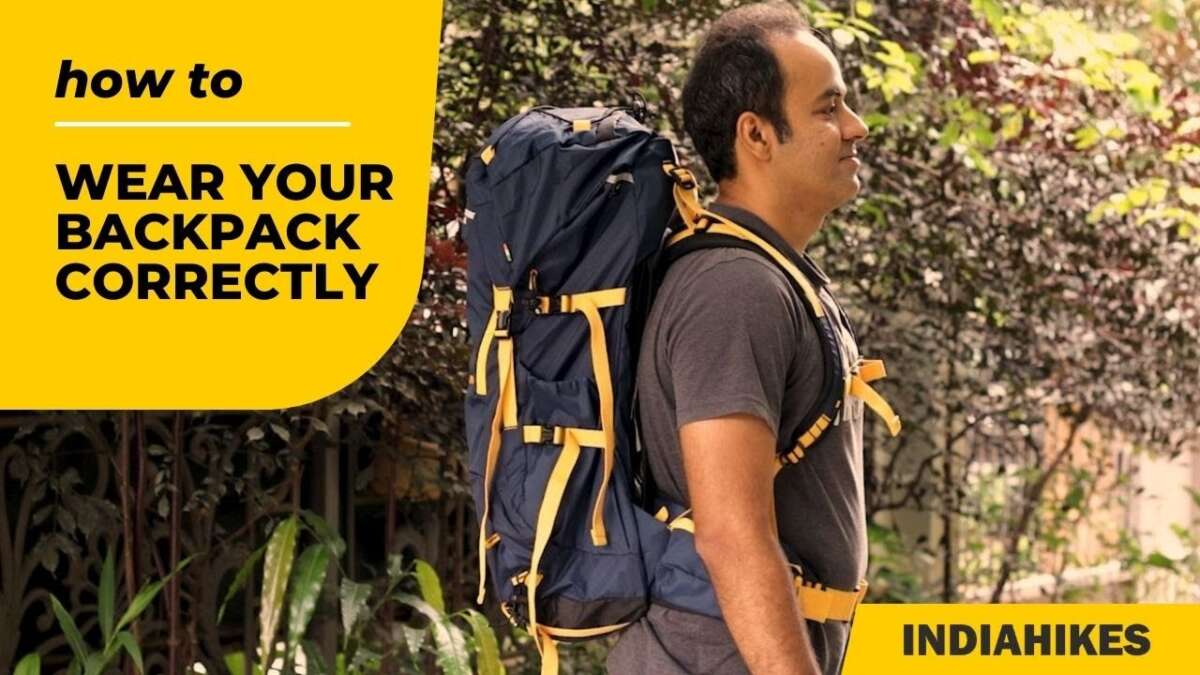
To wear a backpack properly, use both shoulder straps, keep the pack high and close to your back, place heavy items near your spine, and tighten the waist or chest straps when the pack has them. The load should feel stable, not painful or hard to control.
What Does It Mean to Wear a Backpack Properly?
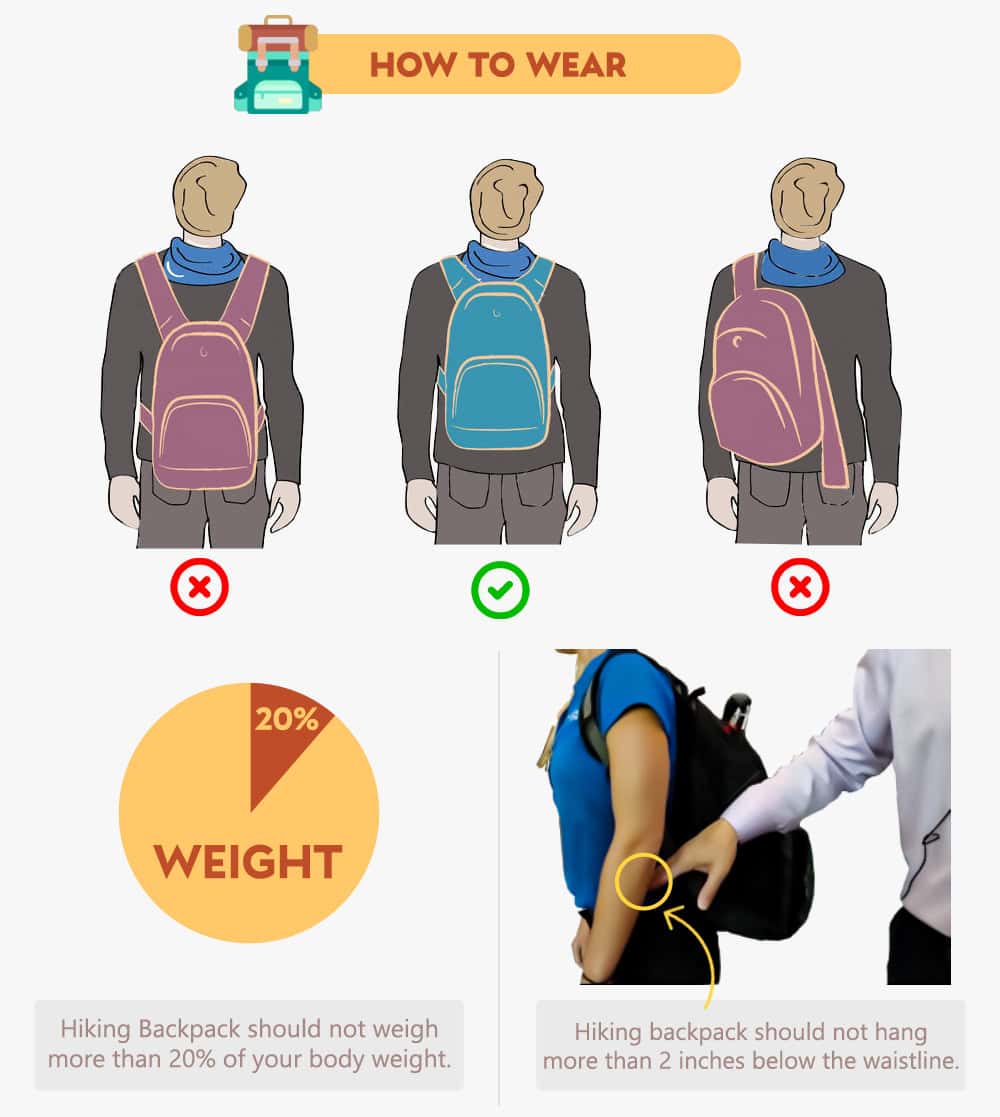
A properly worn backpack sits on your upper and middle back. Its bottom should rest near your waist or just above your hips, not hang near your buttocks. The pack should stay close to your body as you walk.
The American Academy of Pediatrics advises keeping a child’s backpack to no more than 15% of body weight. The American Academy of Orthopaedic Surgeons also recommends using both shoulder straps and adjusting the pack so it rests close to the back.
These limits are practical guidance, not a guarantee that every person will be comfortable at the same weight. A smaller child, someone with a medical condition, or a person carrying an uneven load may need less weight.
Key signs of a good fit
A backpack fits well when:
- Both shoulder straps carry weight evenly.
- The pack does not swing from side to side.
- The bottom sits near the waist or upper hip area.
- The shoulder straps do not dig into your neck.
- You can walk upright without leaning forward.
- You can move your arms freely.
- The contents do not press painfully into your back.
- You can remove the pack without struggling.
A backpack that causes pain, tingling, numbness, weakness, or skin color changes needs attention. Remove it and adjust the fit before carrying it again.
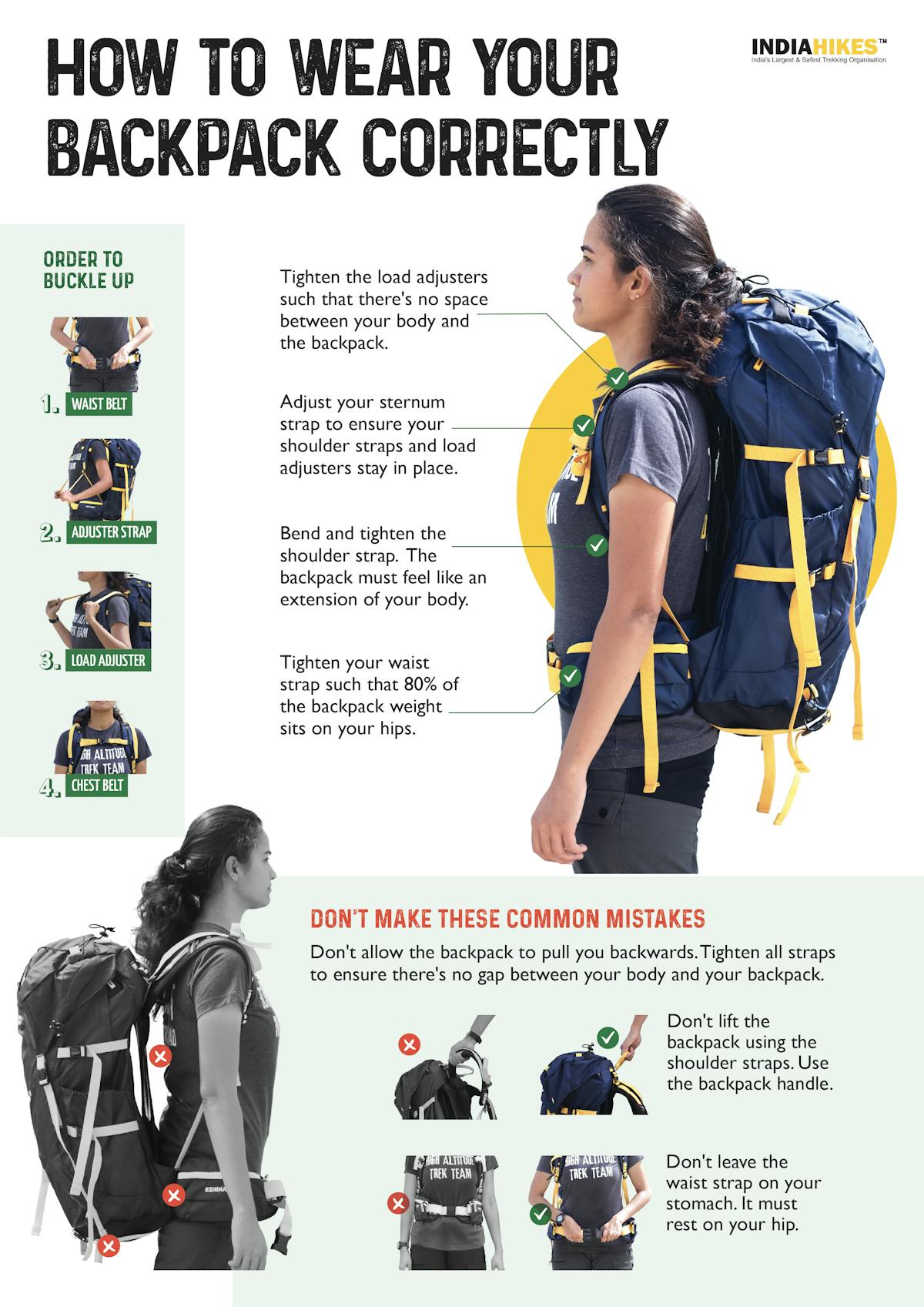
How to Put on a Backpack Correctly
Follow these steps each time you put on a backpack.
1. Lighten the load first
Before adjusting the straps, remove items you do not need. A heavy pack is harder to fit and places more force on your back and shoulders.
For children, try to keep the pack at or below 15% of body weight. For adults, there is no single weight limit that fits every person. Use the lightest load that meets your needs, and reduce the weight if you feel pain or lose good posture.
For a quick estimate:
Maximum suggested school-pack weight = body weight × 0.15
For example, a 100-pound child would have a suggested upper limit of about 15 pounds. This is a ceiling, not a target. Lighter is better when the same items can be carried another way.
2. Pack heavy items close to your back
Place books, laptops, water bottles, and other dense items in the compartment nearest your back. Put light items in outer pockets.
This arrangement keeps the center of mass close to your spine. It reduces the pulling force that makes a pack feel heavier or causes you to lean forward.
Use these packing rules:
- Put the heaviest item in the center of the back panel.
- Keep hard items from pressing against your spine.
- Use smaller pockets to stop objects from shifting.
- Keep sharp or rigid objects in protective sleeves.
- Balance the load from left to right.
- Avoid loose items that swing while you walk.
3. Lift the backpack safely
Do not swing a loaded pack over one shoulder. Face the backpack, bend at your knees, and use both hands to lift it onto a desk, chair, or other raised surface when possible.
If you must lift it from the floor:
- Stand close to the pack.
- Bend your knees and keep your back as neutral as you can.
- Grip the top handle with both hands or use a stable surface.
- Lift with your legs.
- Place one shoulder strap on at a time.
A heavy backpack can shift suddenly. Slow movements give you more control.
4. Put on both shoulder straps
Slide one arm through a shoulder strap, then the other. Do not carry a full backpack on one shoulder for long periods.
Using one strap makes the load uneven. It may cause you to twist or hike one shoulder to keep the pack in place. A single strap can be acceptable for a very light load over a short distance, but it is not the best setup for books, electronics, or gear.
5. Adjust the shoulder straps
Pull the shoulder strap ends down and back until the pack rests close to your body. The straps should feel snug without squeezing your shoulders.
The pack should not hang below your lower back. It also should not sit so high that the top presses into your neck or limits head movement.
A useful test is to slide one or two fingers under each strap. If you cannot fit a finger under the strap, it may be too tight. If the pack moves away from your back, it may be too loose.
6. Fasten the chest strap
If your backpack has a sternum, or chest, strap, clip it across your chest. Adjust it so the shoulder straps stay in a natural position.
The chest strap should not press on your throat or restrict breathing. It is not meant to carry the main load. Its job is to reduce strap movement and improve stability.
Some chest straps can move up or down on a track. Place yours across the upper chest, where it helps keep the shoulder straps from sliding outward.
7. Fasten the waist or hip belt
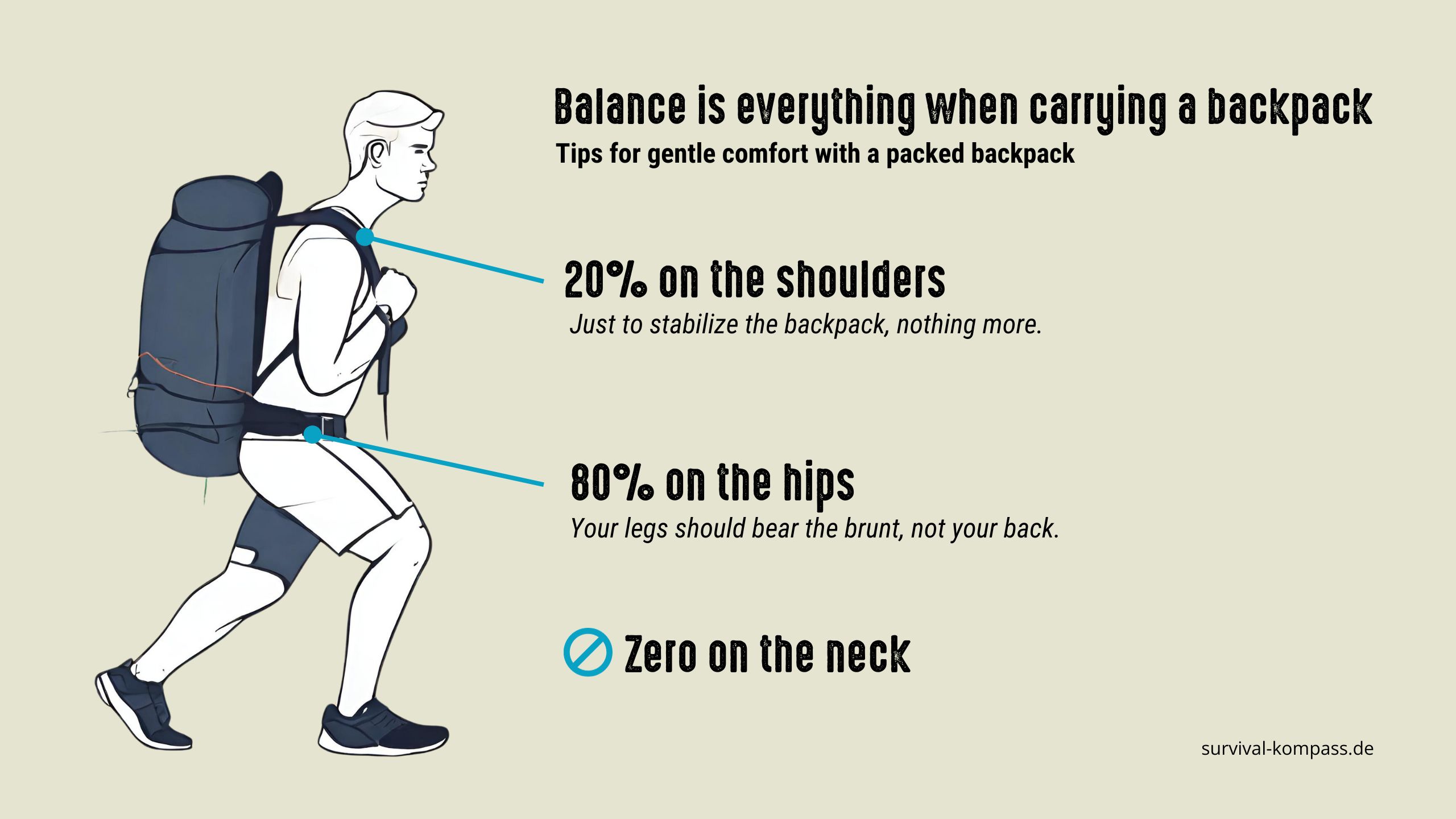
A waist belt can transfer part of the load from your shoulders to your pelvis. This is especially useful for hiking packs or heavier loads.
To use it:
- Center the belt over your hip bones.
- Buckle it in front.
- Tighten it until the pack feels stable.
- Avoid tightening it so much that it causes pressure, numbness, or breathing problems.
Small school backpacks may have a waist belt that sits around the waist rather than the hips. It can still reduce movement, but it may not transfer weight as well as a properly fitted hiking hip belt.
8. Walk and check the fit
Walk for several minutes. Bend slightly, climb stairs, and turn your head. The pack should remain close to your back without shifting sharply.
Make small changes rather than pulling every strap tight. The best fit is secure but comfortable.
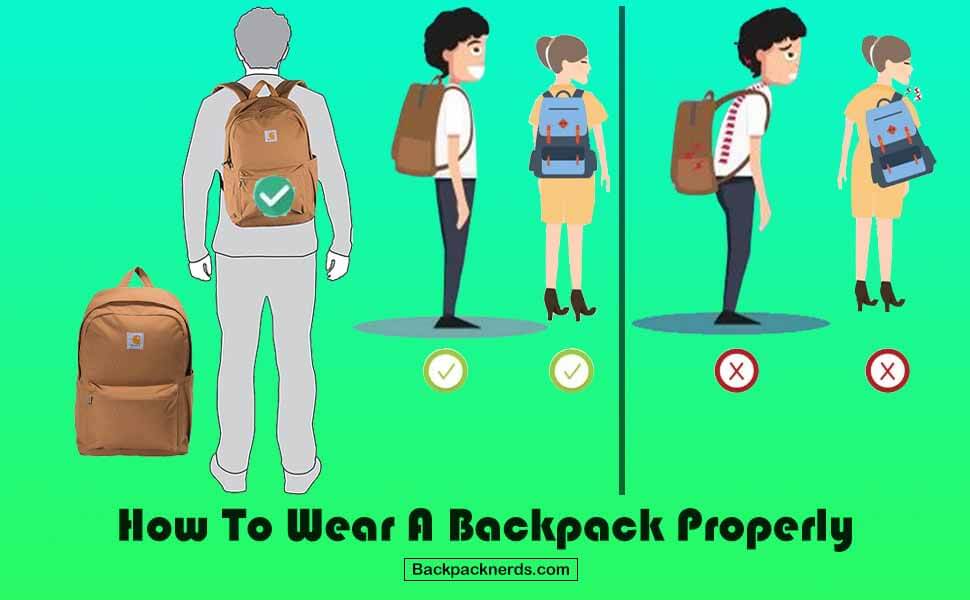
How Should a Backpack Sit on Your Back?
A backpack should sit high enough to keep the load close to your upper back but low enough to avoid pressing into your neck.
For most everyday packs:
- The top should sit near the top of your shoulders.
- The bottom should rest near your waist or upper hips.
- The pack should remain centered between your shoulder blades.
- The shoulder straps should follow the curve of your shoulders.
- The back panel should touch or nearly touch your back.
A backpack that hangs low increases the distance between the load and your body. That distance creates more leverage, so the pack may feel heavier. A backpack that sits too high can rub your neck and restrict movement.
The correct position depends on the pack design. A hiking backpack with a structured frame may sit differently from a school backpack. Always use the adjustment system intended for that model.
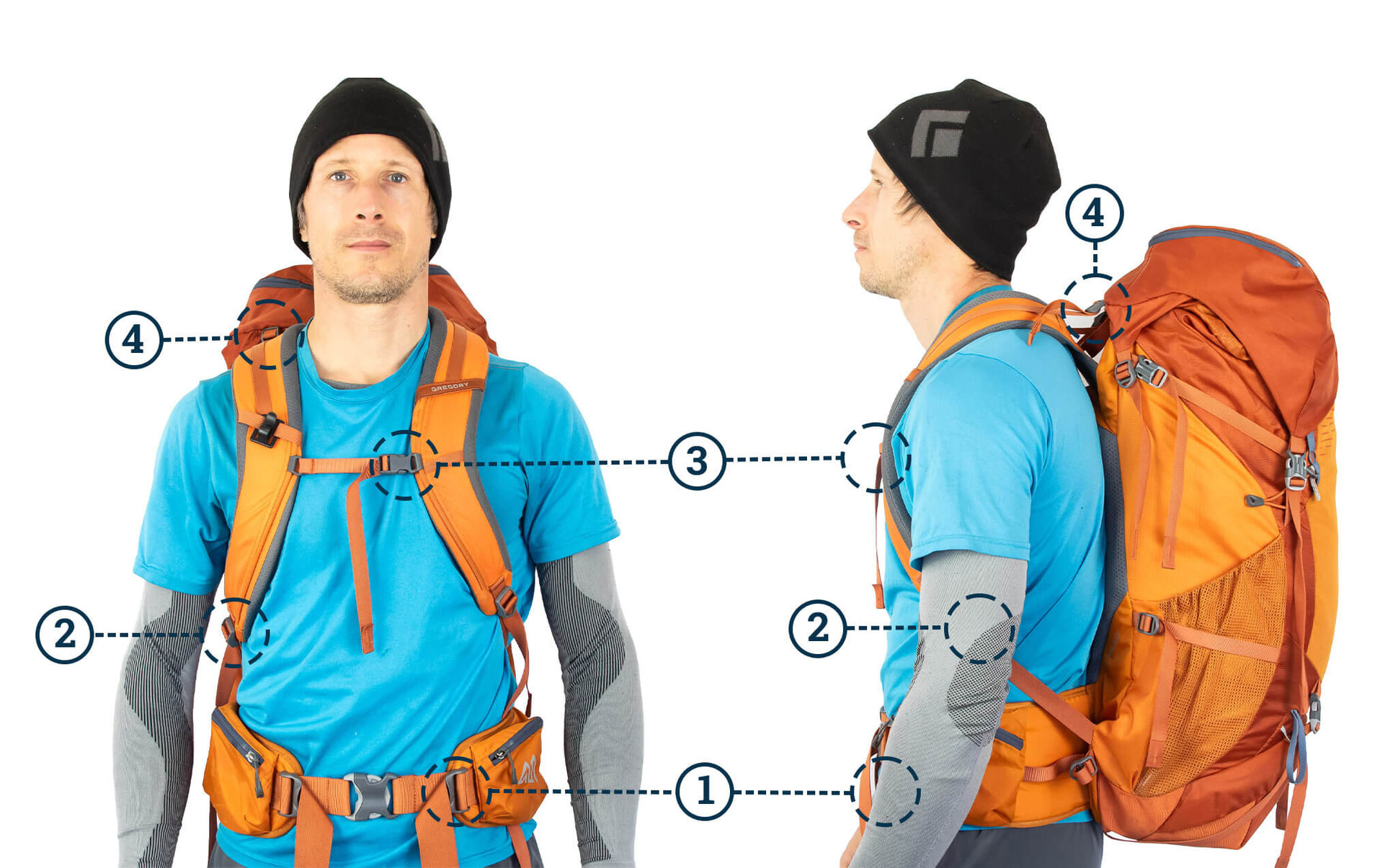
How to Adjust a Hiking Backpack
Hiking backpacks use more adjustment points than most school or work packs. The order matters because the hip belt should support the pack before you fine-tune the shoulder straps.
Use this adjustment order
- Loosen every strap.
- Put on the pack and center it.
- Position the hip belt over your hip bones.
- Tighten the hip belt.
- Pull the shoulder straps down and back.
- Tighten the load-lifter straps, if included.
- Adjust the sternum strap.
- Walk and make small corrections.
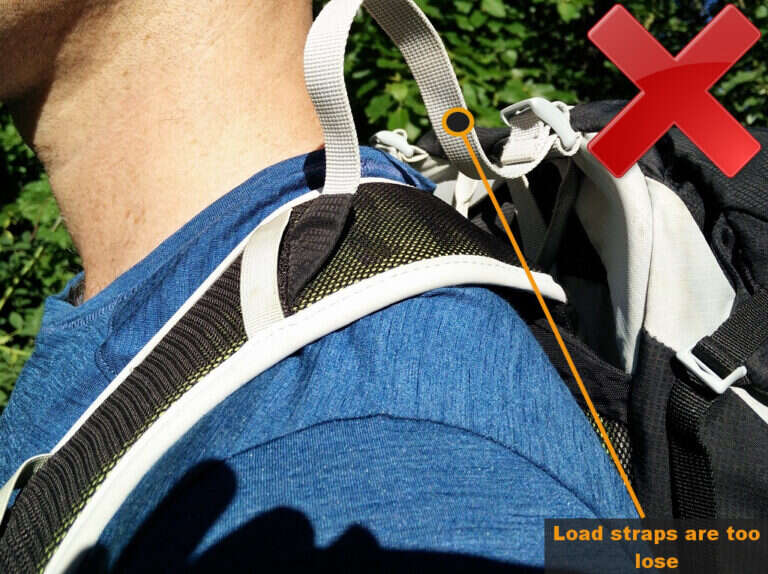
Load-lifter straps connect the top of the shoulder straps to the upper pack. Pulling them gently toward your shoulders can bring the upper pack closer to your body. Do not over-tighten them. Too much tension can pull the shoulder straps upward and create pressure in your neck.
For a framed hiking pack, the frame length should match your torso length. Torso length is not the same as height. If the hip belt sits too high or too low even after adjustment, the pack may be the wrong size.
A reputable outdoor store can measure your torso and help set the frame. Seek help if the pack remains uncomfortable despite careful adjustment.
How to Wear a Backpack for School or Work
School and work backpacks usually need fewer adjustments than hiking packs, but the same basic rules apply.
For school
Students often carry books, folders, lunch, sports gear, and a laptop. Pack only what is needed for the day.
Try these steps:
- Keep heavy books close to the back.
- Use a laptop sleeve or padded compartment.
- Remove old papers and unused supplies each week.
- Use both shoulder straps.
- Use a waist strap if the pack has one.
- Ask a teacher or school nurse for help if the pack causes pain.
Do not assume that a larger backpack is better. More space can lead to more weight.
For work or commuting
Commuters may carry a computer, charger, lunch, water, and personal items. A laptop can make one side of a pack feel rigid, so balance it with soft items rather than adding unnecessary weight.
Keep chargers and small items from collecting at the bottom. A crowded pack can force the back panel outward and make the pack less stable.
If you walk long distances, consider whether every item must stay in the pack. A water refill, locker, desk drawer, or luggage storage area can reduce the load.
For travel
A travel backpack should stay light enough for stairs, crowded sidewalks, and quick changes in direction. Before leaving, walk with it for 10 to 15 minutes and test the straps.
If the pack causes pain at home, it will usually feel worse after a full day at an airport or train station.

Common Backpack-Wearing Mistakes
Small errors can make a comfortable pack feel heavy.
Wearing one strap
This shifts the load to one side and may cause uneven shoulder pressure. Use both straps for normal travel.
Letting the backpack hang too low
A low pack pulls backward from a greater distance. Raise it until the bottom rests near your waist or upper hips.
Over-tightening the shoulder straps
Tight straps do not make an overloaded pack safe. They can create pressure around the neck and shoulders. Reduce the load and use the hip belt when available.
Ignoring an uneven load
A bottle on one side and heavy books on the other can make the pack twist. Move dense items toward the center.