Can You Pack A Laptop In Checked Luggage?
Traveling by air today often means deciding what to do with your electronics—especially your laptop. Many travelers wonder if they can put their laptop in checked luggage, or if it must go in their carry-on. I’ve traveled with laptops across North America, Europe, and Asia, and I’ve made every mistake possible. Let’s talk clearly about the rules, risks, and best practices for packing a laptop in checked luggage, so you can travel smarter and avoid surprises.
What The Airlines And Security Agencies Say
Airlines and airport security have strict rules for electronics. Most airlines let you check a laptop if you want. But there are important guidelines and warnings from the Transportation Security Administration (TSA) and other agencies worldwide.
The TSA says you can put a laptop in checked luggage. But, they strongly recommend keeping it in your carry-on. This is because checked bags are handled roughly, and laptops can be damaged or even stolen. The International Air Transport Association (IATA) also says that lithium batteries—like those in laptops—pose a fire risk if damaged.
They prefer you keep these items in the cabin with you.
From my experience, I once checked my laptop on a flight to London. The laptop survived, but the bag had a big dent. I was lucky. Others may not be.
Key Risks Of Packing A Laptop In Checked Luggage
You might feel tempted to check your laptop for convenience, but you should know the risks. Here’s what you need to consider:
1. Physical Damage
Checked bags are tossed, stacked, and moved by machines and people. Even with padding, a laptop can crack, bend, or break. I’ve seen screens shattered and cases warped.
2. Theft
Baggage areas aren’t always secure. Laptops are easy targets because they’re valuable and slim. The US Department of Transportation reported over 2,000 theft cases from checked bags in one recent year. Insurance won’t always cover electronics.
3. Data Loss
Even if your laptop survives, a hard knock can ruin your hard drive or SSD. Unless you have a backup, you risk losing photos, files, and work.
4. Battery Fires
Lithium-ion batteries can catch fire if damaged. In 2017, the FAA recorded 46 incidents of battery fires in checked luggage. Planes have safety gear in the cabin—not the cargo hold.
5. Delayed Or Lost Bags
Bags sometimes miss connections or get lost. If your laptop is inside, you could be without it for days or weeks.
Credit: www.slashgear.com
Airline Policies: What You Need To Know
While most airlines follow global rules, each may have its own policies. Let’s compare three major airlines:
| Airline | Laptop in Checked Bag Allowed? | Special Conditions |
|---|---|---|
| Delta | Yes | Advise carrying in cabin; batteries must stay attached |
| Emirates | Yes | Must be switched off, packed to prevent activation |
| Lufthansa | Yes | Battery must be part of laptop; no loose batteries |
Always check your airline’s website before you fly. Policies can change, and some destinations have extra rules about electronics.
International Rules And Country Differences
Not all airports or countries see things the same way. For example, the European Union and the UK Civil Aviation Authority follow IATA guidance, but local staff may be stricter about battery rules.
In some places, like China and India, security may ask you to remove your laptop from checked baggage during screening. Some countries ban laptops in checked luggage on flights to the US due to past security threats.
When I flew from Tokyo to San Francisco, Japanese security asked if there was a laptop in my checked bag. They advised me to move it to my carry-on, even though the airline did not require it. It’s always smart to ask at check-in if you’re unsure.
How To Pack A Laptop Safely (if You Must Check It)
Sometimes, you have no choice but to check your laptop. Maybe your carry-on is too full, or you have security restrictions. Here’s how to reduce the risk:
1. Use A Hard-shell Case
A padded hard case absorbs shocks. Choose a case that fits snugly around your laptop.
2. Wrap With Clothes Or Bubble Wrap
Surround the case with soft items in your suitcase. This adds extra cushion.
3. Turn It Off Completely
Don’t just close the lid. Shut down the laptop to lower fire risk.
4. Back Up Your Data
Use a cloud service or external drive. If the laptop is lost or damaged, you won’t lose your files.
5. Label Your Laptop
Put your contact info on the device. Use a sticker or tag.
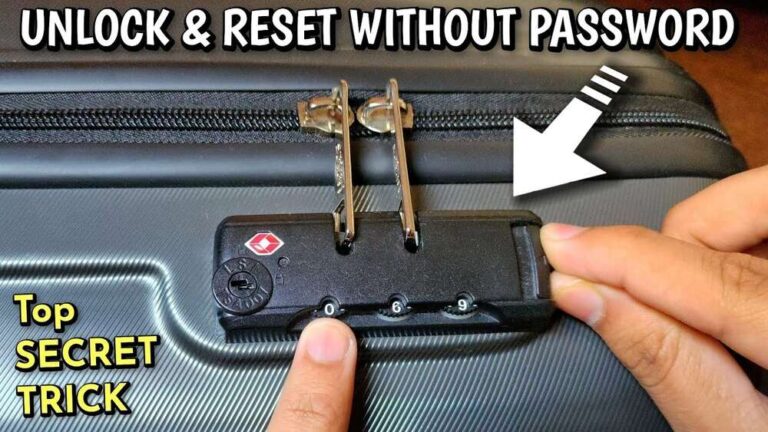
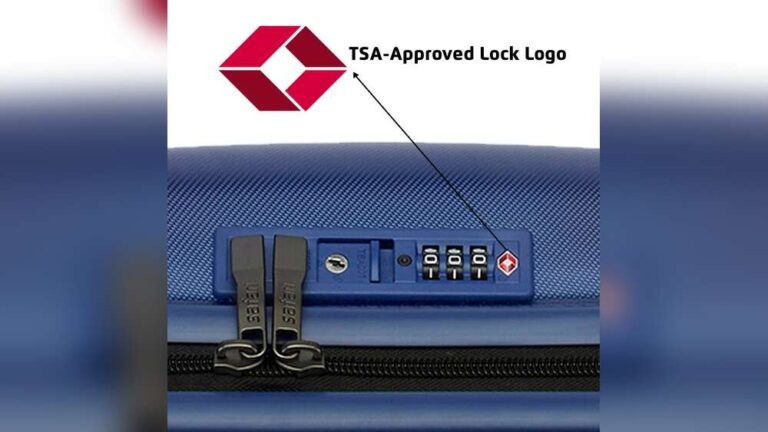
6. Lock Your Suitcase
Use a TSA-approved lock. It won’t stop all theft, but it helps.
7. Remove External Accessories
Take out USB drives, SD cards, and wireless mice. Carry these with you.
8. Check Local And Airline Rules Again
Some airlines require you to fill out a form if you check electronics.
9. Buy Extra Insurance
Standard baggage coverage is often low ($500 or less). Special electronics insurance can help.
Carry-on Vs. Checked Luggage: Comparison
Here’s a quick look at the pros and cons of each choice:
| Option | Pros | Cons |
|---|---|---|
| Carry-On | Easy access Better security Less risk of damage |
May count toward weight/size limits Must remove for screening |
| Checked Luggage | Frees up cabin space No need to carry heavy bag |
Higher risk of theft/damage May violate some airline/country rules |
From my own travel, carrying my laptop onboard has always given me peace of mind. I know it’s safe, and I can use it if there’s a delay or layover.

Credit: toomanyadapters.com
What The Insurance Companies Cover
Most airlines limit payouts for lost or damaged checked items. Many exclude laptops and electronics from full coverage. For example, Delta pays a maximum of $3,800 for lost bags on international flights, but may not cover expensive electronics. Some travel insurance plans offer extra protection, but you must read the fine print.
If you travel often with a laptop, look for policies with “electronics rider” options. These cover high-value items for theft, damage, or loss. Take photos of your laptop and keep receipts.
How Security Screening Affects Laptops
At most airports, security will scan checked bags. If they see a laptop, they may open the bag to inspect it. This increases the risk of rough handling or things not being repacked properly. Sometimes, airport staff may move your laptop or leave a notice inside.
Some airports have “explosive trace” tests for electronics. If your laptop triggers an alert, security might keep your bag longer or even seize the device.
One insight here: Airlines and TSA may not inform you if they’ve opened your bag. If you must check your laptop, double-check its condition when you arrive.
Data Safety And Privacy Concerns
Laptops carry not just monetary value, but also private data. Checking your laptop puts your files, photos, and even your passwords at risk. If someone steals your device, they might access your accounts or sensitive information.
To protect yourself:
- Encrypt your hard drive with a password. This scrambles your files for anyone without the code.
- Log out of all accounts before travel.
- Turn on “Find My Device” features if possible. This helps you track or wipe the laptop remotely.
If you’re traveling for business, your company may have strict rules about laptops in checked bags. Some jobs even ban it.
Special Cases: Traveling With Multiple Laptops
Some travelers need to bring more than one laptop—like IT workers, students, or digital nomads. Airlines may see this as suspicious. Carrying all devices in your cabin bag is best. If you must check one, declare it at check-in.
If you’re carrying work and personal laptops, label them clearly. List serial numbers and take photos. This helps if you need to file a claim.
Lithium Battery Rules: Why They Matter
Why are batteries such a big concern? Lithium-ion batteries can short-circuit, overheat, and even catch fire if damaged. In the cargo hold, a fire is much harder to detect and stop.
The FAA and IATA have clear rules:
- Batteries must be attached to the device
- No spare batteries in checked bags
- Damaged or recalled batteries are banned from flights
Some airlines have extra limits on battery size (measured in watt-hours, Wh). Most laptop batteries are 30-90Wh, well below the 100Wh limit. But always check your device.
What Happens If Your Laptop Is Lost Or Damaged?
If your checked bag is lost or your laptop is broken, report it to the airline right away. Keep all travel documents, receipts, and photos. File a claim at the airport and online.
Most airlines pay for “proven” loss or damage, but may argue about how much your laptop is worth. They may ask for proof of purchase. If your data is lost, that’s not covered.
A hidden risk: If you check in late, bags are more likely to be mishandled. Always check in early if you must check valuables.
Can You Pack Tablets Or Other Electronics In Checked Luggage?
The rules for tablets, e-readers, and other electronics are similar to laptops. The biggest worry is the battery. Anything with a lithium battery should go in your carry-on if possible.
Some devices (like cameras or medical equipment) may have their own rules. Always check with your airline. For game consoles, the risk of theft is lower, but damage is still possible.
Real-life Examples And Stories
Here’s a story from a recent trip: A friend of mine checked her laptop on a flight from Paris to New York. She packed it in a soft case, wrapped with jeans. When she arrived, the screen was cracked, and the laptop wouldn’t start. The airline offered $200, far less than the cost to replace it.
Another time, I nearly left my laptop in a checked bag by mistake. When I realized, I asked airport staff for help. They let me remove it before my bag was loaded. It saved me from a big headache.
These experiences show why it’s safer to keep laptops with you.
Expert Tips For Traveling With A Laptop
To help you travel like a pro, here are some tips based on years of flying with laptops:
1. Use A Padded Laptop Sleeve
Even in a carry-on, extra padding protects your device.
2. Keep A Backup Charger In Your Cabin Bag
Airports sometimes sell chargers, but they’re expensive.
3. Label Your Charger And Accessories
Lost items are hard to replace on the road.
4. Arrive Early At The Airport
You’ll have time to fix problems if security has questions.
5. Check Airline Policies Before You Pack
Some airlines update rules without warning.
6. Use Tracking Devices
Small Bluetooth trackers, like Tile or AirTag, help you find your bag and laptop if lost.
7. Be Ready For Security Checks
Keep your laptop easy to remove from your carry-on.
Alternatives To Checking Your Laptop
If you don’t want to carry your laptop on board, consider these options:
- Ship Your Laptop Separately
Courier services offer better tracking and insurance. It’s pricier but safer.
- Use a Tablet or Cloud Device
If you only need to check email or browse, a tablet is lighter and less valuable.
- Rent a Laptop at Your Destination
Some hotels and offices offer loaners. Check before you travel.

Credit: beistravel.com
Summary Table: Should You Check Your Laptop?
Here’s a quick decision guide to help you make the best choice:
| Situation | Best Option | Why |
|---|---|---|
| Short flight, light carry-on | Carry-on | Easy to keep safe |
| Full carry-on, strict airline limits | Check with protection | Use hard case, insure, back up data |
| Multiple laptops/devices | Carry as many as possible | Minimize checked electronics |
| Travel to country with special rules | Follow local advice | Ask at check-in |
Expert Opinion And Final Thoughts
After years of traveling and talking with fellow travelers, my advice is clear: Always carry your laptop on board if you can. The risks of damage, theft, and data loss are too high when you check it. Even if the rules allow it, you’re betting against the odds.
If you have no choice, pack it with care, back up your data, and check your insurance. But remember, once your bag leaves your hands, you lose control.
For official guidance, you can check the TSA’s official site.
Safe travels, and always keep your most important device close.
Frequently Asked Questions
Is It Illegal To Put A Laptop In Checked Luggage?
No, it’s not illegal. Most airlines and security agencies allow it. But they recommend you keep your laptop in your carry-on to avoid damage, theft, or fire risk.
Will My Laptop Battery Explode In Checked Luggage?
The risk is small, but it does exist. If the battery is damaged, it could catch fire. That’s why airlines prefer laptops in the cabin, where crew can respond quickly.
What Should I Do If I Have To Check My Laptop?
Turn it off, use a hard case, wrap it with clothes, and back up your data. Label it and lock your suitcase. Check your airline’s policies and consider extra insurance.
Can I Check More Than One Laptop?
Yes, but it increases the risk. Some countries or airlines may ask questions about multiple devices. Always declare extra laptops and pack them carefully.
Does Travel Insurance Cover Laptops In Checked Bags?
Some policies do, but many don’t cover the full value or exclude electronics. Always read the fine print and consider special electronics coverage if you travel often.

Zayden Halbrook is a travel enthusiast and gear researcher passionate about making every journey smoother and more enjoyable. With a keen eye for practical travel essentials and real-world tips, he helps readers choose the right gear and travel smarter. When he’s not testing travel kits or exploring new destinations, Zayden shares simple, reliable advice to make every trip stress-free.