Add a checked bag on the Southwest app through your trip details or during check-in, then pay any required fee.
Knowing how to add a checked bag on Southwest app can save time at the airport. The steps are simple, but the button name, bag price, and payment screen may change based on your flight, fare, route, and travel date. This guide explains the process clearly, including what to do if the option does not appear.
How to add a checked bag on Southwest app
The Southwest app lets many travelers manage bags from their reservation. You will usually need your confirmation number, passenger name, and a valid payment card if a bag fee applies.
Follow these steps:
- Open the Southwest app on your phone.
- Sign in to your Rapid Rewards account.
- Tap “Trips” or “Manage Trips.”
- Select the flight you want to manage.
- Look for “Add bags,” “Bags,” or a similar baggage option.
- Choose the traveler who will check a bag.
- Select the number of checked bags.
- Review the bag allowance and any fee shown.
- Enter or confirm your payment details.
- Submit the payment.
- Save the confirmation in the app or in your email.
If you cannot find the bag option before check-in, try again after check-in opens. Southwest check-in typically opens 24 hours before the scheduled departure time.
The exact layout can differ between iPhone and Android. App updates, international routes, special fares, and partner flights can also change the available options.

What you need before adding a checked bag
A smooth baggage update starts with the right travel details. Have these items ready before you open the app:
• Your Southwest confirmation number
• The first and last name on the reservation
• Your Rapid Rewards login, if the trip is linked to your account
• A working debit card or credit card
• The number of bags you plan to check
• Your bag’s approximate weight and size
Southwest’s baggage rules depend on the fare, route, frequent flyer status, military status, and other special conditions. Some passengers may receive free checked bags, while others may need to pay based on the current baggage policy.
It is also smart to check whether your reservation includes a special item. A wheelchair, sports item, musical instrument, or oversized bag may follow different rules than a standard suitcase.
In my experience helping people prepare for flights, the most common mistake is waiting until the airport to learn the bag allowance. A quick check in the app can prevent a rushed payment or a last-minute repacking job.

How to add a checked bag during Southwest check-in
If the app does not show a baggage button when you first open your trip, check in for the flight. The baggage option may appear as part of the check-in flow.
Use these steps:
- Open the Southwest app.
- Tap “Check In.”
- Enter your confirmation number and passenger details if requested.
- Select the correct flight.
- Follow the check-in prompts.
- Look for the baggage question.
- Choose the number of checked bags.
- Review the fee or free-bag allowance.
- Pay if required.
- Complete check-in and save your boarding pass.
The app may ask you to confirm the bag count for each traveler. Read this screen carefully. Adding one bag for one passenger is different from adding one bag for every passenger on the booking.
After you finish, the app may show a baggage receipt, a confirmation number, or a link to manage the bag later. Keep this information until you collect your suitcase at your destination.
If your trip includes more than one flight, review the itinerary. A checked bag may be handled differently on a Southwest-operated flight compared with a flight involving another airline.
Does Southwest charge for checked bags?
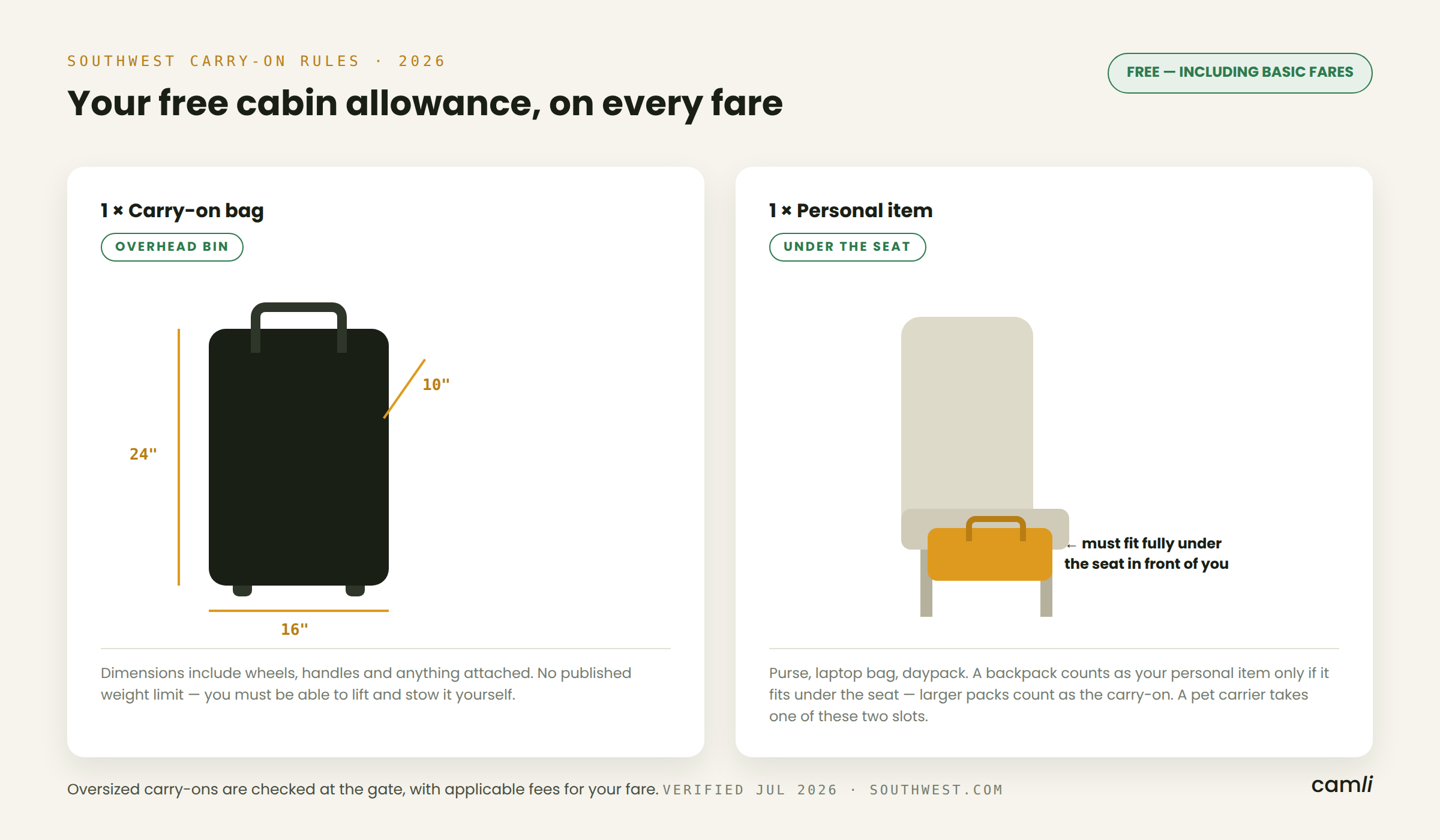
Southwest has long been known for offering checked-bag benefits on many fares, but baggage rules can change. The allowance may depend on your ticket type, route, loyalty status, military status, and the date of travel.
Before paying, check the fee shown in the app. Do not assume every passenger or every itinerary has the same allowance.
Common factors include:
• Your Southwest fare type
• Whether your route is domestic or international
• Your Rapid Rewards status
• Whether you hold an eligible Southwest credit card
• Active promotional baggage rules
• Military or government travel status
• Whether the item is a standard, oversized, or overweight bag
The app should display the current charge before you confirm payment. That screen is important because it reflects the details attached to your reservation.
If the app shows a fee that seems wrong, stop before paying. Review your fare benefits and passenger details. You can also contact Southwest or ask an airport agent to verify the allowance.
Airline baggage policies are not fixed forever. Always rely on the current policy connected to your booking rather than an old travel post or a friend’s past experience.

Bag limits, size, and weight rules
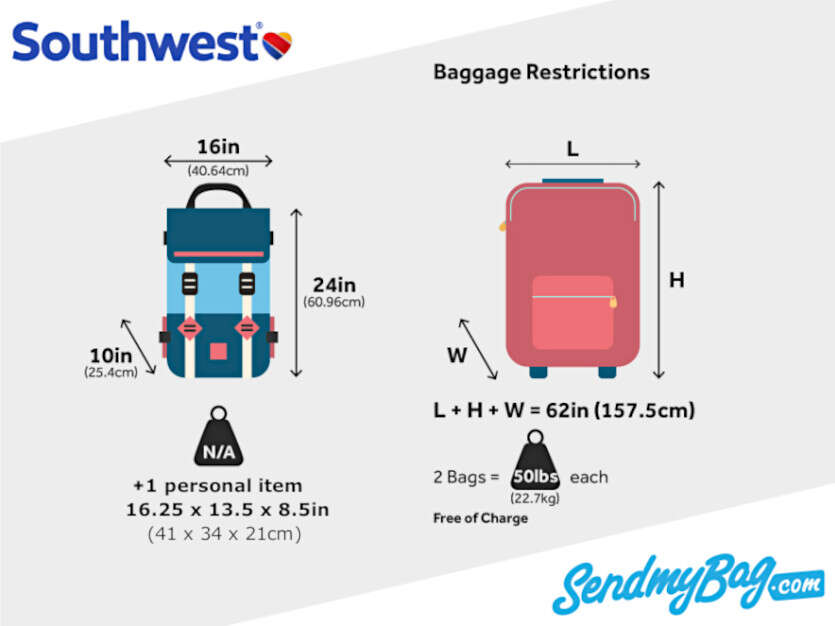
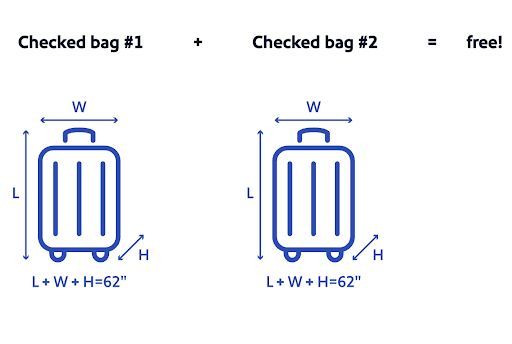
Adding a bag in the app does not guarantee that the suitcase will be accepted at the airport. Your luggage must still meet Southwest’s rules for weight, size, and contents.
A standard checked suitcase is generally measured by its outside length, width, and height. Airlines often use a total linear measurement, which means adding those three numbers together.
Before leaving home:
• Weigh the suitcase with a luggage scale.
• Measure the bag, including wheels and handles if required.
• Remove old airline tags.
• Put identification inside and outside the bag.
• Keep medicine, keys, money, and electronics in your carry-on.
• Pack liquids according to airport security rules.
• Do not place fragile or valuable items in checked luggage unless necessary.
Overweight and oversized bags may cost more or may not be accepted. Sports equipment and special items can also have separate rules.
One practical lesson is to weigh your bag before you add it in the Southwest app. Paying for a bag and then discovering that it exceeds the limit is frustrating. A small home scale can be more useful than trying to guess by lifting the suitcase.
What to do if the “Add bag” option is missing
Sometimes the app will not show a button to add a checked bag. This does not always mean you cannot check one.
Try the following fixes:
- Update the Southwest app from the Apple App Store or Google Play.
- Close the app and open it again.
- Sign out, then sign back in.
- Confirm that the reservation is linked to the correct account.
- Search for the trip using the confirmation number.
- Try the Southwest mobile website.
- Check again when the 24-hour check-in window opens.
- Contact Southwest if the booking includes a partner or special itinerary.
The option may be unavailable because the reservation has multiple passengers, a schedule change, an unaccompanied minor, a special service request, or a flight operated by another carrier.
You may also be using an older version of the app. App screens can change after an update, so look for related labels such as “Manage bags,” “Baggage,” or “Trip details.”
If online options fail, airport staff can usually help with baggage at the Southwest ticket counter. Arrive early, since airport bag processing takes more time than using the app.

How to pay for a checked bag in the Southwest app
When a bag fee applies, the app should guide you to a payment screen. Confirm the passenger, flight, bag count, and total amount before entering payment information.
A safe payment process looks like this:
• Select the correct traveler.
• Confirm the flight date and destination.
• Check the number of bags.
• Review the price and currency.
• Enter your payment details.
• Submit the payment once.
• Wait for the confirmation screen.
• Save the receipt or confirmation email.
Avoid tapping the payment button several times if the screen loads slowly. Duplicate attempts can create confusion. First check your email, trip details, or bank activity before trying again.
If your card is declined, use another card or contact your bank. Do not use public Wi-Fi for payment unless you trust the network. The Southwest app should use secure payment technology, but basic phone and account security still matter.
A baggage payment receipt can be useful if an airport agent cannot immediately see the update. Take a screenshot, but remember that a screenshot is not a substitute for the official reservation record.
When should you add a checked bag?
You can often add a bag while managing your trip or during online check-in. The best time depends on what the app allows for your reservation.
Adding the bag before reaching the airport has several benefits:
• You can review the price without standing in line.
• You have time to repack an overweight suitcase.
• You can resolve payment problems at home.
• You reduce stress on departure day.
• You can keep your baggage receipt with your travel documents.
Still, do not add a bag too early if you are unsure about your final packing plan. If you later remove the bag, the refund process may depend on Southwest’s current rules and the way the charge was made.
For early morning flights, prepare the bag the night before. Check in when the window opens, add the bag if available, and save the boarding pass. This turns airport morning into a simple bag-drop task rather than a race.

Airport bag drop after using the app
Adding a checked bag through the Southwest app does not always mean your suitcase is already accepted. You still need to bring the bag to the airport and complete the required bag-drop process.
At the airport:
- Go to the Southwest bag-drop or ticket counter area.
- Have your boarding pass and identification ready.
- Print or collect a bag tag if needed.
- Attach the tag firmly to the suitcase.
- Place the bag on the scale or conveyor.
- Keep the claim portion of the bag tag.
- Confirm that the bag is going to the correct destination.
Airport staff may ask to see identification. They can also check the bag’s weight and size.
Arrive early enough for the airline’s checked-bag deadline. Cutoff times can vary by airport and flight, and missing the deadline can create major problems even when you checked in online.
The bag tag receipt matters. It includes a tracking number that may help Southwest locate your bag if it is delayed. Keep it until your suitcase is safely with you.
Common mistakes to avoid
The process is easy when the reservation is simple, but small errors can cause delays. Watch for these common mistakes:
• Selecting the wrong passenger
• Adding a bag to the wrong flight
• Confusing carry-on bags with checked bags
• Forgetting to check the bag weight
• Using an old confirmation number after a flight change
• Paying before checking the baggage allowance
• Failing to save the receipt
• Arriving too late for bag drop
• Packing medication or valuables in the suitcase
• Assuming a partner flight follows Southwest’s baggage rules
Always compare the reservation details with your travel plans. If your itinerary changed, remove the old trip from your mental checklist and review the current booking.
One lesson I often share with travelers is simple: treat the app confirmation like a digital luggage tag. Save it, review it, and keep it available until the journey ends.
Frequently asked questions about how to add a checked bag on Southwest app
Can I add a checked bag on the Southwest app before check-in?
You may be able to add a checked bag from your trip details before check-in. If the option is not visible, try again when online check-in opens or use the Southwest website.
How do I add a checked bag on Southwest app after booking?
Open “Trips,” choose your reservation, and look for “Bags,” “Add bags,” or a similar option. Select the passenger and bag count, then review the allowance and pay any displayed fee.
Can I add a checked bag on Southwest app for another passenger?
Yes, a booking with several travelers may let you choose the passenger who needs the bag. Check the traveler’s name carefully before confirming the bag count.
Why can’t I add a checked bag on the Southwest app?
The feature may be unavailable because of an app issue, a special reservation, a partner flight, or the timing of your trip. Update the app, try the website, and contact Southwest if the option remains missing.
Is it cheaper to add a checked bag in the app?
The app shows the current price or allowance for your reservation, but the cost depends on Southwest’s active policy and your passenger details. Do not assume that adding a bag online will always be cheaper than adding one at the airport.
Can I add more than one checked bag in the Southwest app?
The app may allow you to select multiple bags, subject to the airline’s limits and your itinerary. Extra, overweight, or oversized bags may have different charges and handling rules.
Do I still need to go to the airport counter after adding a bag?
Usually, yes. You may still need to print a tag, show identification, and hand the suitcase to a Southwest agent or bag-drop station.
Conclusion
Learning how to add a checked bag on Southwest app takes only a few minutes. Open your trip, choose the right traveler, select the bag count, review the allowance, pay when required, and save the confirmation.
Check your bag’s size and weight before leaving home, and arrive before the airport’s checked-bag deadline. If the app does not show the option, try the website, check in when eligible, or ask Southwest for help.
Use these steps before your next trip so bag drop feels smooth and predictable. For more practical Southwest travel tips, explore related guides and share your experience in the comments.

Zayden Halbrook is a travel enthusiast and gear researcher passionate about making every journey smoother and more enjoyable. With a keen eye for practical travel essentials and real-world tips, he helps readers choose the right gear and travel smarter. When he’s not testing travel kits or exploring new destinations, Zayden shares simple, reliable advice to make every trip stress-free.