Print tags from Royal Caribbean online check-in, download the PDF, and print at home.
I’ve printed luggage tags for dozens of sailings and helped friends at the terminal. This guide explains exactly how to print luggage tags for royal caribbean step by step, with clear instructions, printer settings, and real-world tips so you arrive calm and ready. Read on and you’ll know when to print, what paper to use, and how to handle problems fast.

What you need before you print
Before you learn how to print luggage tags for royal caribbean, gather a few basics. Have your reservation number, passport or ID, and the email you used to book. Use a desktop or laptop if possible — the site and PDFs work more reliably there. Prepare plain white heavy paper or adhesive labels, scissors, clear tape, and a printer with enough ink.
How to print luggage tags for royal caribbean — step-by-step
Follow this simple process when you want to know how to print luggage tags for royal caribbean.
- Sign in to your Royal Caribbean account
- Go to RoyalCaribbean.com and choose Manage My Reservations. Enter your reservation number and last name.
- Complete online check-in
- Finish the online check-in form. Tags usually appear after check-in is complete.
- Find the Print Documents or Print Tags area
- Look for a link called Print Tags & Documents or Boarding Documents. Click it to open the PDF.
- Download the PDF
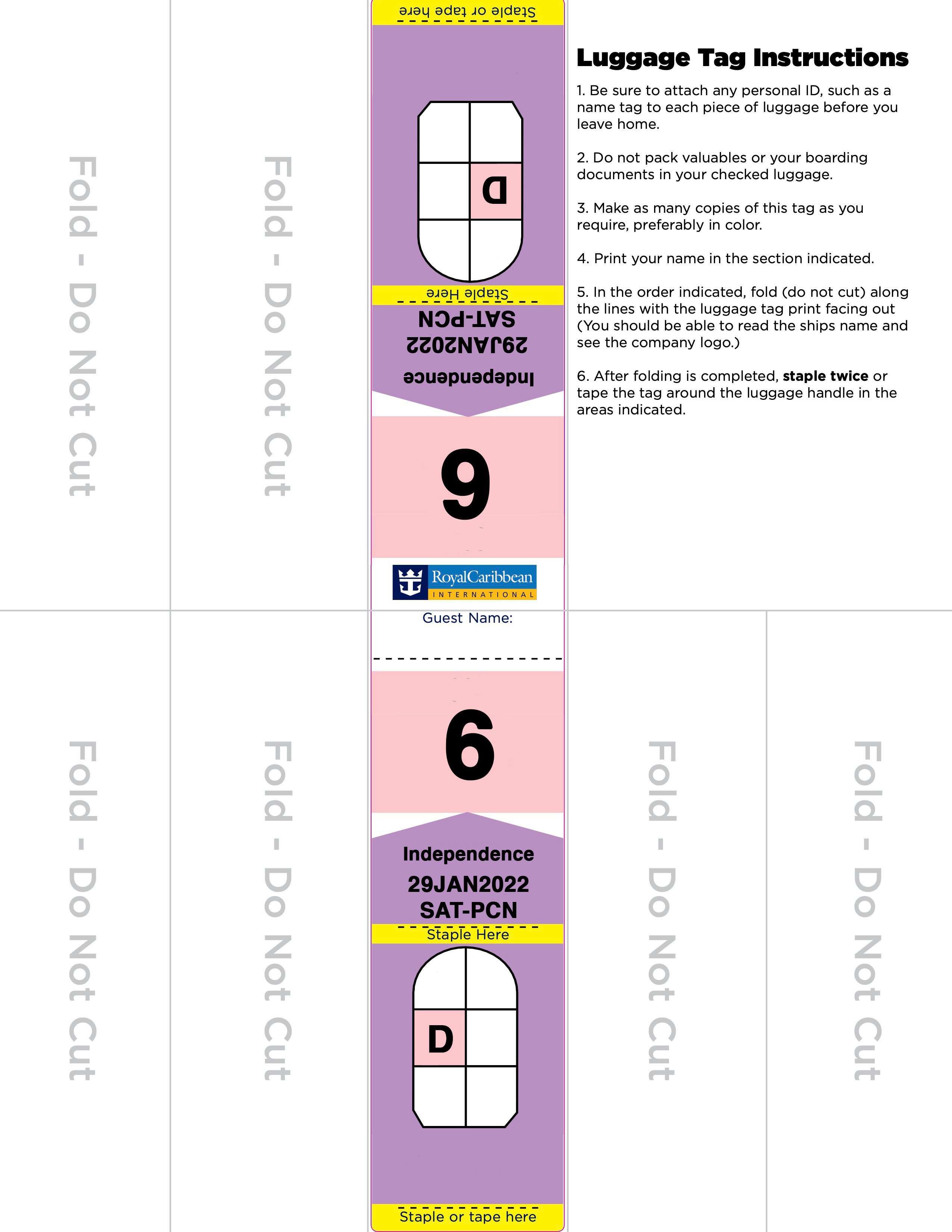
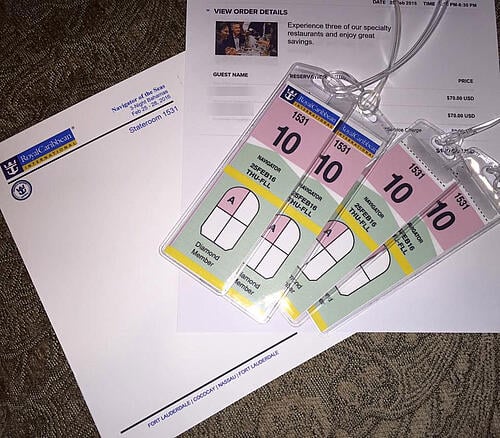
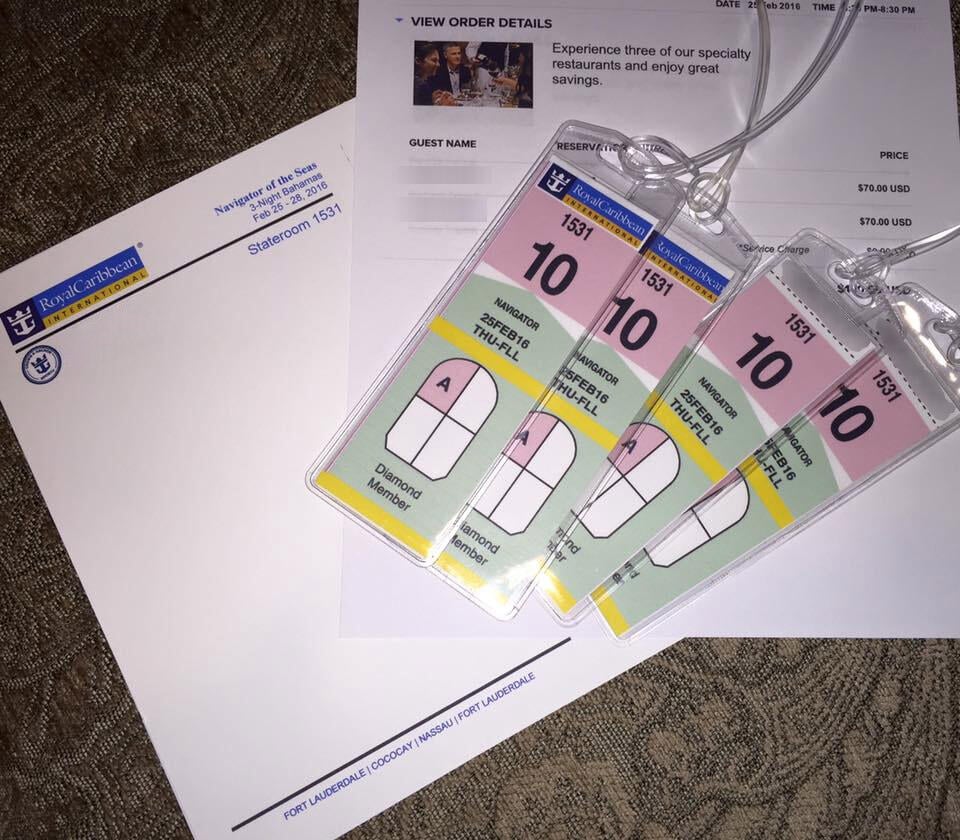
- Save the PDF to your computer. It often contains multiple tags per page with barcodes.
- Print at actual size
- Set your printer to 100% or “Actual size.” Do not select “Fit to page.” Use color if you can to keep barcodes crisp.
- Cut and protect the tags
- Cut along the lines. Reinforce edges with clear tape or use plastic sleeves. Punch a hole and attach to luggage handles.
This method is the most reliable way to handle how to print luggage tags for royal caribbean. If the PDF does not appear, confirm your check-in finished and refresh the page.

Printing at home — materials and printer settings
Printing at home makes boarding smoother. Here are practical choices for how to print luggage tags for royal caribbean that hold up on a busy pier.
- Paper
- Use heavy 90–120 lb white paper or cardstock to prevent tearing. Adhesive label sheets work well if you prefer sticky tags.
- Printer settings
- Select Actual size or 100% scaling. Choose best quality or photo mode for sharp barcodes. Use color if possible.
- Finishing
- Cover with clear packing tape or use laminating pouches to protect from rain. Punch a hole and use a zip tie or strong luggage strap.
- Alternatives
- If you only have a phone, email the PDF to a friend or to a print shop and pick it up before you leave.
From experience, printing two sets saves stress. Keep one copy in your carry-on. That habit helps when you’re running late to the terminal.
At the terminal or onboard — backup options
If you can’t complete how to print luggage tags for royal caribbean at home, you still have options at the port.
- Port printing
- Many terminals have a ticketing desk or kiosk that can print tags. Arrive early to avoid lines.
- Guest Services
- If tags are missing after boarding, visit Guest Services. They can reissue tags or advise next steps.
- Crew handling
- Porters accept standard tags attached to the handle. If your tag is improvised, make sure it has your name and reservation barcode.
I once missed printing tags and arrived very early. The port desk printed tags in minutes. Showing up with all documents made it painless.

Common problems, quick fixes, and practical tips
You’ll likely avoid most issues if you know the usual hiccups and fixes for how to print luggage tags for royal caribbean.
- PDF not showing
- Clear your browser cache or switch browsers. Use a desktop for the best results.
- Tags print too large or small
- Change scaling to 100% or “Actual size.” Preview before printing.
- Faded barcode
- Increase print quality or try a different printer. A sharp barcode helps baggage scanning.
- Lost tags
- Have a backup PDF on your phone or email. Bring a printed spare in your carry-on.
- Timing
- Tags typically become available after online check-in completes, often a few days before sail. Check the site after you complete check-in.
Quick answers people search for:
- Can I print tags from my phone?
- Yes, you can open the PDF on a phone and print via AirPrint or an Android print service, but desktop printing is easier and more reliable.
- How soon can I print?
- Usually after completing online check-in. That often opens several days before sailing.
These tips come from sailing experience and testing printer settings. They cut wait time and ensure your bags reach the ship.
Frequently Asked Questions of how to print luggage tags for royal caribbean
Can I print luggage tags from the Royal Caribbean app?
The app lets you view boarding documents, but printing is easiest from a desktop. You can open the PDF on your phone and print via mobile print services if needed.
What if I forget to print my tags at home?
Arrive early at the terminal and check the ticketing desk or kiosks; staff can usually print tags for you. If you board without tags, Guest Services can help replace them.
Do I need special paper to print the tags?
No special paper is required, but heavy paper or cardstock holds up better. You can also use adhesive labels or protect tags with clear tape.
Can I reuse luggage tags on future cruises?
Most cruise tags are specific to a sailing because of barcodes and cruise dates, so do not reuse them. Keep a saved PDF of past tags for reference, but print fresh tags for each cruise.
How many copies should I print?
Print at least two copies: one to attach to checked luggage and a spare in your carry-on. Having a backup reduces stress if a tag gets lost or damaged.
Conclusion
You now have a clear, step-by-step plan for how to print luggage tags for royal caribbean. Print from the online check-in PDF, use heavy paper, set scaling to 100%, and bring a spare copy. A little prep removes a lot of last-minute stress and gets your bags to the ship fast. Try these steps before your next cruise, leave a comment with your experience, or subscribe for more practical travel guides.

Zayden Halbrook is a travel enthusiast and gear researcher passionate about making every journey smoother and more enjoyable. With a keen eye for practical travel essentials and real-world tips, he helps readers choose the right gear and travel smarter. When he’s not testing travel kits or exploring new destinations, Zayden shares simple, reliable advice to make every trip stress-free.